JavaScript Promises Explained for Beginners
Introduction
Promises are similar like that we hear in our day to day life, like someone promised you to stay with you lifetime but He/She broked his/her promises, someone takes some money from you and he promised that he will return the money in this week and he returned the money,or if you asked for some money he rejected your request and don't gave any money to you
So Promises are similar like this Let's understand it in this blog
What are promises ?
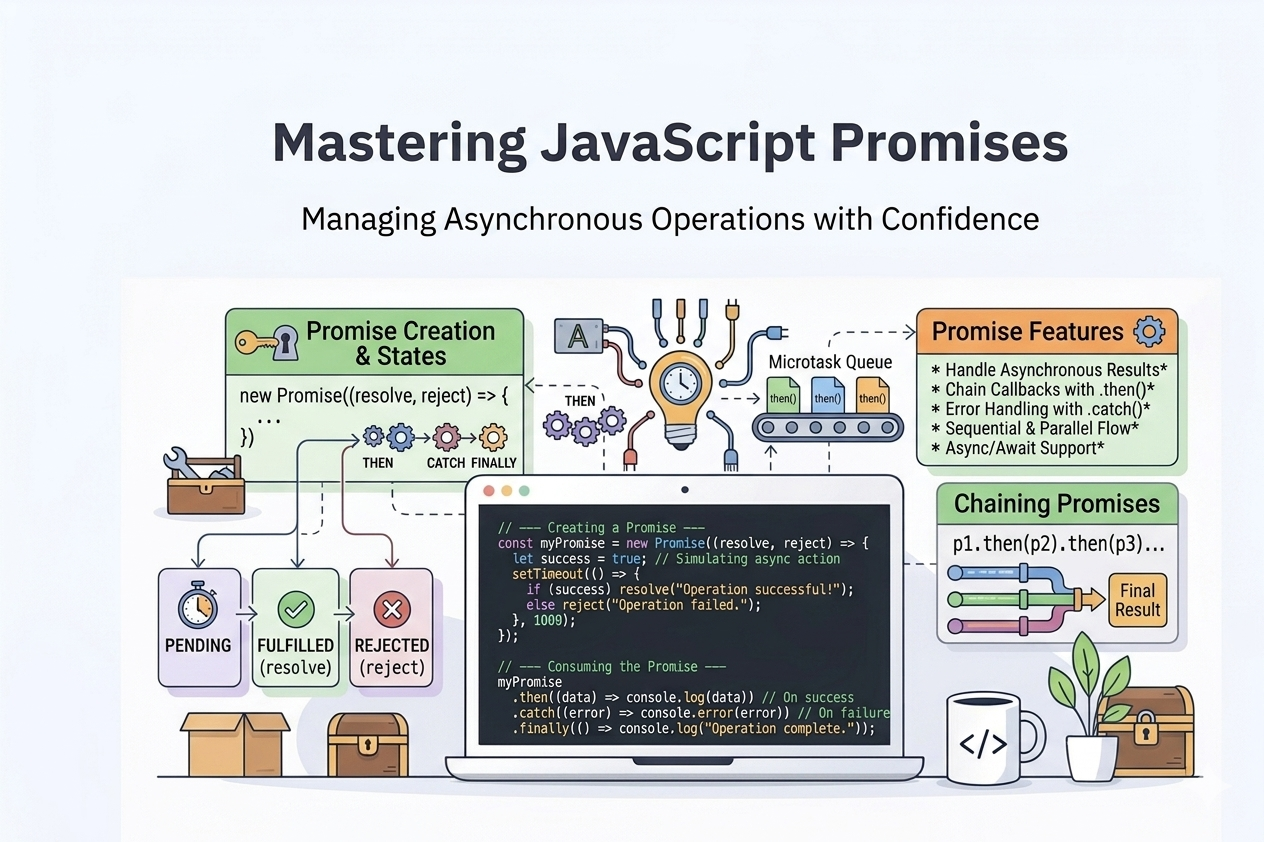
Promises in JavaScript is like some task is to happen eventually in future it can be fullfilled/resolved or rejected
const myPromise = new Promise((resolve, reject) => {
  const success = true;
  if (success) {
    resolve("Operation successful!");
  } else {
    reject("Operation failed.");
  }
});
States of Promises?
There are 3 main states of Promises.
Pending: In this state the promise not rejected nor fulfilled
Fulfilled: In this case the promise is fulfilled or resolved
Rejected: In this case the promise is rejected
Promises Methods
Promise.all(): In this method to resolve or fullfill a promise it have to fulfill all the promises means if any promises is rejected the whole promise will be rejected
Promise.all([condition_1, condition_2])
Promise.race(): In this case the first resolved promise is returned and it didn't check the next ones
Promise.race([con_1,con_2])
Promise.allSettled(): In this case the all the promises are returned wheather it resolved or rejected
Promise.allSettled([con_1,con_2])
Promise.any(): In this case if any promise is resolved the whole promise is resolved
Promise.any([con_1,con_2])
Some methods to handle the result of a promise
.then(): It is used when the promise is resolved or fullfilled also we handle the success case by this method
const newPromise = new promise()
    .then(()=>
        console.log('Promise resolved')
)
.catch(): It is used when the promise is rejected or gave error we also can handle the rejection or failure by this this method.
const newPromise = new promise()
    .catch(()=>
        console.log('Promise is rejected')
)
. finally(): This method is runned wheather the promise is fulfilled or rejected it runs
const newPromise = new promise()
    .then(()=>{
        console.log('Promise is resolved')
})
    .catch(()=>{
        console.log('Promise is rejected')
})
    .finally(()=>{
        console.log('Promise is finished')
})
Conclusion
Promises is used for some task that will not execute currently but they will be eventually executed wheather the result is rejected or fullfilled