Async/Await in JavaScript: Writing Cleaner Asynchronous Code
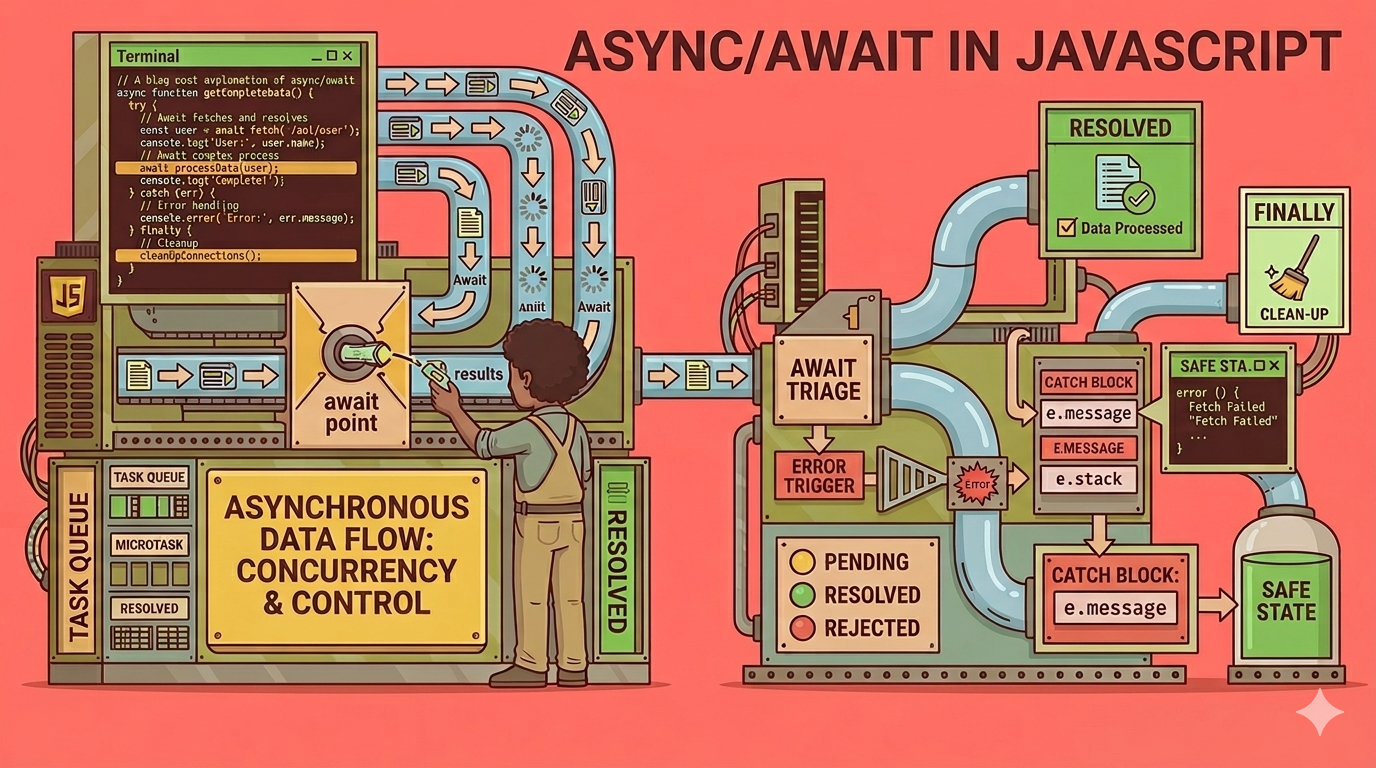
Introduction
In earlier version of JavaScript we have started using the asynchronous programming in JavaScript by callbacks but it creates the call back hell means we have to creates too much of callbacks to perform Asynchronous operations after that the javascript team has introduced the promises they have made the asynchronous programming easy but still it is verbose and chained
fetchData()
  .then(data => processData(data))
  .then(result => saveResult(result))
  .catch(err => console.log(err));
That's why the Async/await come in picture to makes the developers life easy
Why async/await is introduced ?
Async/await was introduced in JavaScript in 2018 in ES8(EM2018) Version it is crucial moment for javascript, it solves the complexity and maintainability issues of asynchronous operations
How async function works ?
We uses the async keyword for performing asynchronous operations in JavaScript,
It tells the javascript that after this there is a asynchronous function that will always return a promise
If the value returned is a like a string or number JavaScript will automatically wrap it to Promise.resolve(value) but it always return a promise
If you return a error the javascript will automatically wrap it to Promise.reject(Error) but it returns a promise everytime when you write the async keyword
async function fetchData() {
    console.log("1.From inside async function");

    const result = await someApiCall(); // <--- Pause point

    console.log("3. Data received:", result);
}

console.log("0. Before calling function");
fetchData();
console.log("2. After calling function");
await keyword concept ?
The await keyword is used to tell the Javascript Wait there is a task please perform it first then go next of the promise is resolved
async function getWeather() {
    // Execution "pauses" here until the fetch is done
    const response = await fetch('https://api.weather.com/today');
    const data = await response.json();
    return data;
}
Error handling in async/await
One of the good advantage of async/await is the try...catch blocks error handling
fetchData()
  .then(data => console.log(data))
  .catch(error => console.log(error));
Comparison with the promises
While the async/await is build on promises but still there is a difference in both are
Sr.No. | Promises | Async/await |
1. Code readability | Messy & long | Clean & concise |
2. Control Flow | Chained | Linear |
3. Error Handling | Uses | Uses |
Conclusion
Async/await is slightly better version of promises but these are not the replacement of promises because it is built on the promises itself...